The short answer
An SEO agency optimizes what your website exposes to search engines and AI systems. If your site renders content client-side, ships broken or missing structured data, loads slowly, or sits on a platform that blocks technical fixes, the agency is optimizing against a ceiling it cannot raise. Content and links compound only after the development layer is sound. That is why two companies can buy the same SEO service, publish similar content, and get completely different results.
Why does SEO keep failing for B2B SaaS companies?
Here is a pattern we see constantly. A SaaS company signs a 12 month SEO retainer. The agency delivers keyword research, a content calendar, on-page recommendations, and monthly reports. Six months in, traffic is flat. The marketing lead concludes the agency is bad, switches to a new one, and the cycle repeats.
The uncomfortable truth: the agency was often doing reasonable work. It just did not matter, because the site itself was capping the outcome.
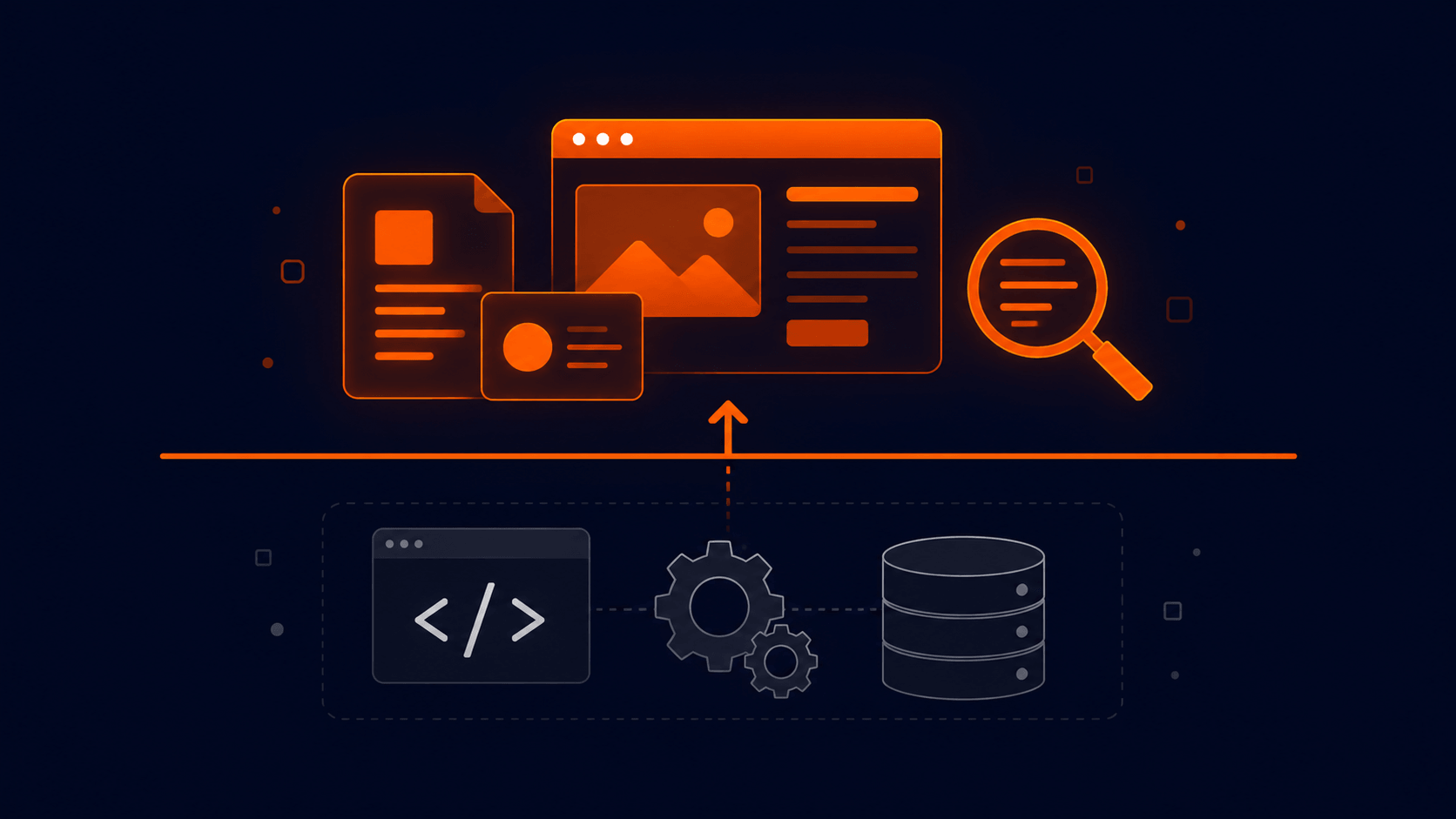
Think of it as two layers:
- The strategy layer. Keyword targeting, content quality, topical coverage, internal linking, digital PR. This is what SEO retainers cover.
- The development layer. Rendering, page speed, markup quality, structured data, crawlability, information architecture in code. This is what most retainers cannot touch.
The strategy layer determines how high you can climb. The development layer determines where the ceiling is. Most agencies will list technical issues in an audit PDF and then hand the fixes back to you, because they do not have developers on staff or access to your codebase. Those fixes sit in a backlog for a year while the retainer keeps billing.
What belongs to the agency vs. what belongs to the codebase?
Before you blame either side, get clear on who actually owns each problem.

| Symptom | Usually an agency problem | Usually a development problem |
|---|---|---|
| Ranking for the wrong keywords | Yes | No |
| Thin or generic content | Yes | No |
| Pages indexed but ranking on page 3+ | Sometimes | Often |
| Pages not indexed at all | Rarely | Yes |
| Content invisible to crawlers | No | Yes (client-side rendering) |
| Poor Core Web Vitals | No | Yes |
| Missing or invalid schema | Sometimes | Yes |
| Not appearing in AI answers or AI Overviews | Sometimes | Often |
| Traffic drops after a redesign or migration | No | Yes |
If your problems cluster in the right column, replacing your SEO service will change nothing.
How does the development layer actually cap SEO performance?
1. Rendering decides whether your content exists
Search engines and AI crawlers are not equally patient. Googlebot can execute JavaScript, but rendering is deferred and budget-limited. Many AI crawlers do not execute JavaScript at all. If your marketing site is a client-side rendered React app, a meaningful share of crawlers see a nearly empty HTML shell.
This is why rendering strategy is now an SEO decision, not just an engineering preference:
- Static or server-rendered HTML (Astro, Next.js with SSR or SSG, Webflow's published output): content is in the initial response. Every crawler sees it.
- Client-side rendering (classic single page apps): content appears only after JavaScript runs. Google eventually sees it. Many AI systems never do.
For Webflow sites specifically, a reverse proxy layer such as Cloudflare Workers can add server-side capabilities the platform does not natively expose.
2. AI search punishes heavy, messy markup
In 2026 this stopped being theoretical. Google made AI Mode the default search experience in May 2026, and for AI-answered queries the zero-click rate is estimated at roughly 93 percent. If you are not cited inside the answer, ranking position barely matters.
AI systems retrieve pages, parse them, and extract passages within a token budget. Cloudflare's benchmarks around its Markdown for Agents feature showed a typical blog post dropping from roughly 16,000 tokens as HTML to about 3,000 as markdown. The practical implication: a page buried in wrapper divs, inline styles, and script noise gives an AI model less usable content per request than a clean, semantic page. Two sites with identical content are not equal in AI retrieval. The leaner build wins.

This is a development problem. No SEO retainer fixes your DOM.
3. Structured data is code, not a checkbox
Schema markup (Article, FAQPage, Product, Organization, HowTo) is how you tell search engines and AI systems exactly what a page is. FAQPage schema in particular has been climbing in adoption because AI search heavily cites FAQ-style content.
Agencies recommend schema. Developers implement it. On WordPress it usually means a plugin generating generic, sometimes invalid output. On Webflow it means custom JSON-LD embedded per template. On Astro or Next.js it means components that generate schema from your content source, which is the most reliable approach because it cannot drift out of sync with the visible content.
The minimum every B2B SaaS blog post should ship: Article schema declaring the headline, your company as the Organization author, and datePublished plus dateModified timestamps. If your current site cannot ship this per page without a developer sprint, that is a platform problem.
4. Performance is a ranking input and a conversion input
Core Web Vitals affect rankings modestly and conversions dramatically. A marketing site loading in four seconds does not just rank worse. It burns the paid traffic your lead gen spend is buying. When the same company is paying an SEO service and running paid acquisition into a slow site, both budgets underperform for the same underlying reason.
5. Migrations and redesigns are where SEO goes to die
The single most common catastrophic SEO event is not an algorithm update. It is a redesign or platform migration executed without redirect mapping, metadata preservation, and URL structure planning. Traffic drops 40 to 60 percent, and the SEO agency gets blamed for a development failure. We wrote a full playbook on avoiding this in our guide to WordPress to Webflow migration without losing SEO.
Does the platform itself matter?
Yes, but less than platform vendors claim and more than agencies admit. What matters is whether the platform lets you fix the five problems above.
| Capability | WordPress | Webflow | Framer | Astro / Next.js |
|---|---|---|---|---|
| Clean server-rendered HTML | Depends on theme and plugins | Yes | Yes | Yes |
| Full control over markup | With developer effort | Mostly | Limited | Complete |
| Custom schema per template | Plugin-dependent | Yes, via embeds | Limited | Complete |
| Performance ceiling | Low to medium without heavy optimization | High | High | Highest |
| Marketing team can edit safely | Yes, with risk | Yes | Yes | Only with a CMS layer |
| Technical SEO fixes without a dev sprint | Rarely | Usually | Sometimes | Never (dev-owned by design) |
Honest read: WordPress can be made fast and clean, but it takes ongoing developer discipline that most marketing teams do not have. Webflow gives marketing teams control while keeping output clean, which is why it fits most B2B SaaS marketing sites. Astro and Next.js offer the highest ceiling but put every change through engineering. Framer builds fast and looks great, but teams hitting its SEO and scaling limits often end up migrating, a pattern we broke down in our Framer to Webflow migration guide.
The right question is not "which platform is best for SEO" but "which platform lets our team fix development-layer problems without a six week engineering queue."
How do you diagnose whether your ceiling is the agency or the site?
Run this before your next retainer renewal. It takes under an hour and requires no SEO expertise.

- View your page source. Right click, View Page Source, and search for a sentence from your page's main content. If it is not in the raw HTML, crawlers that skip JavaScript cannot see your content.
- Run PageSpeed Insights on your top five pages. Failing Core Web Vitals on money pages is a development problem.
- Validate your schema. Paste key URLs into Google's Rich Results Test. Missing or erroring schema means AI systems are guessing what your pages are.
- Check indexation in Search Console. A large gap between "discovered" and "indexed" pages points to crawlability or quality signals in the build.
- Ask an AI assistant about your category. Ask ChatGPT, Claude, or Perplexity the questions your buyers ask. If competitors get cited and you do not, compare page structure before comparing content quality.
- Reread your agency's last technical audit. Count how many flagged items were actually fixed. If the answer is near zero, you have found your ceiling.
If three or more of these fail, fix the site before spending another quarter on content.
What should B2B SaaS teams actually do?
The sequence matters more than the vendors.
- Fix the development layer first. Rendering, performance, schema, redirects, semantic markup. This is a project, not a retainer, and it typically pays back across every channel at once: organic, paid, and AI citations.
- Then invest in content and authority. Once the ceiling is raised, SEO and content work compounds instead of stalling.
- Keep the layers connected. The teams winning in AI search treat SEO, development, and content as one system. An agency that cannot touch your codebase, or a dev team that ignores search, recreates the same gap.
This is the actual argument for working with a team that does both. Not because "full service" sounds good on a proposal, but because the highest-leverage SEO fixes in 2026 live in the code.
Frequently asked questions
Is technical SEO more important than content?
Neither works alone. Content determines what you can rank and be cited for. The development layer determines whether that content is fully visible, fast, and parseable. Content built on a broken technical foundation underperforms no matter how good it is.
Should I fire my SEO agency if traffic is flat?
Not before diagnosing the development layer. Run the six checks above. If the site fails them, a new agency inherits the same ceiling. If the site passes and traffic is still flat after six to nine months, the agency conversation is fair.
Do AI Overviews and AI Mode make SEO pointless?
No, but they change the goal. With zero-click rates around 93 percent for AI-answered queries, being cited inside the answer is the new position one. Citation depends heavily on page structure, schema, and parseability, which are development concerns.
Can Webflow handle enterprise-grade technical SEO?
For marketing sites, yes, with caveats. Clean output, editable metadata, per-template schema, and proper redirects are all available. Gaps like server-side logic can be closed with a reverse proxy approach such as Cloudflare Workers.
How much does fixing the development layer cost compared to an SEO retainer?
A typical SEO retainer runs 3,000 to 10,000 dollars per month indefinitely. A development-layer overhaul is usually a one-time project in a comparable total range, and it raises the return on every retainer dollar spent afterward. Paying for strategy while the ceiling stays low is the most expensive option of all.
Key takeaways
- SEO retainers optimize the strategy layer. The development layer sets the ceiling, and most agencies cannot touch it.
- Rendering strategy now determines whether AI crawlers see your content at all.
- Lean, semantic markup and valid schema directly affect AI citation, which matters more as AI Mode answers most queries without clicks.
- Migrations and redesigns without SEO-aware development are the most common cause of catastrophic traffic loss.
- Diagnose with the six checks before renewing, firing, or hiring any SEO service.
Paying for SEO but not sure the site can deliver? We audit the development layer of B2B SaaS marketing sites: rendering, performance, schema, and AI citation readiness. Request a free technical audit.